> For the complete documentation index, see [llms.txt](https://docs.coin98.com/llms.txt). Markdown versions of documentation pages are available by appending `.md` to page URLs; this page is available as [Markdown](https://docs.coin98.com/products/coin98-super-wallet/extension-1/beginners-guide/sync-mobile-with-extension.md).
# How to synchronize Coin98 Super Wallet with Coin98 Extension
### Exporting Private Key/Seed Phrase from Coin98 Super Wallet
Private Key/Seed Phrase must be saved in a safe place when users create wallets on Coin98 Super Walet. You can copy your backed-up Private Key/Seed Phrase and move on to the next step.
However, if you accidentally deleted, or forgot your keys, then here’s how to retrieve them on Coin98 Super Wallet:
{% embed url="" %}
## Restoring wallets on Coin98 Extension
Now, the most important part of this guide:
**Step 1:** Open Coin98 Extension;
**Step 2:** Click **Restore Wallet** on the initial screen;
**Step 3:** Set up a password if you haven’t done it yet. Choose between 2 options:
* Matrix Password;
* Text Password.
**Read more at** [**How to install Coin98 Extension Wallet for Google Chrome**](https://docs.coin98.com/products/coin98-wallet/extension/beginners-guide/install-extension-google-chrome)

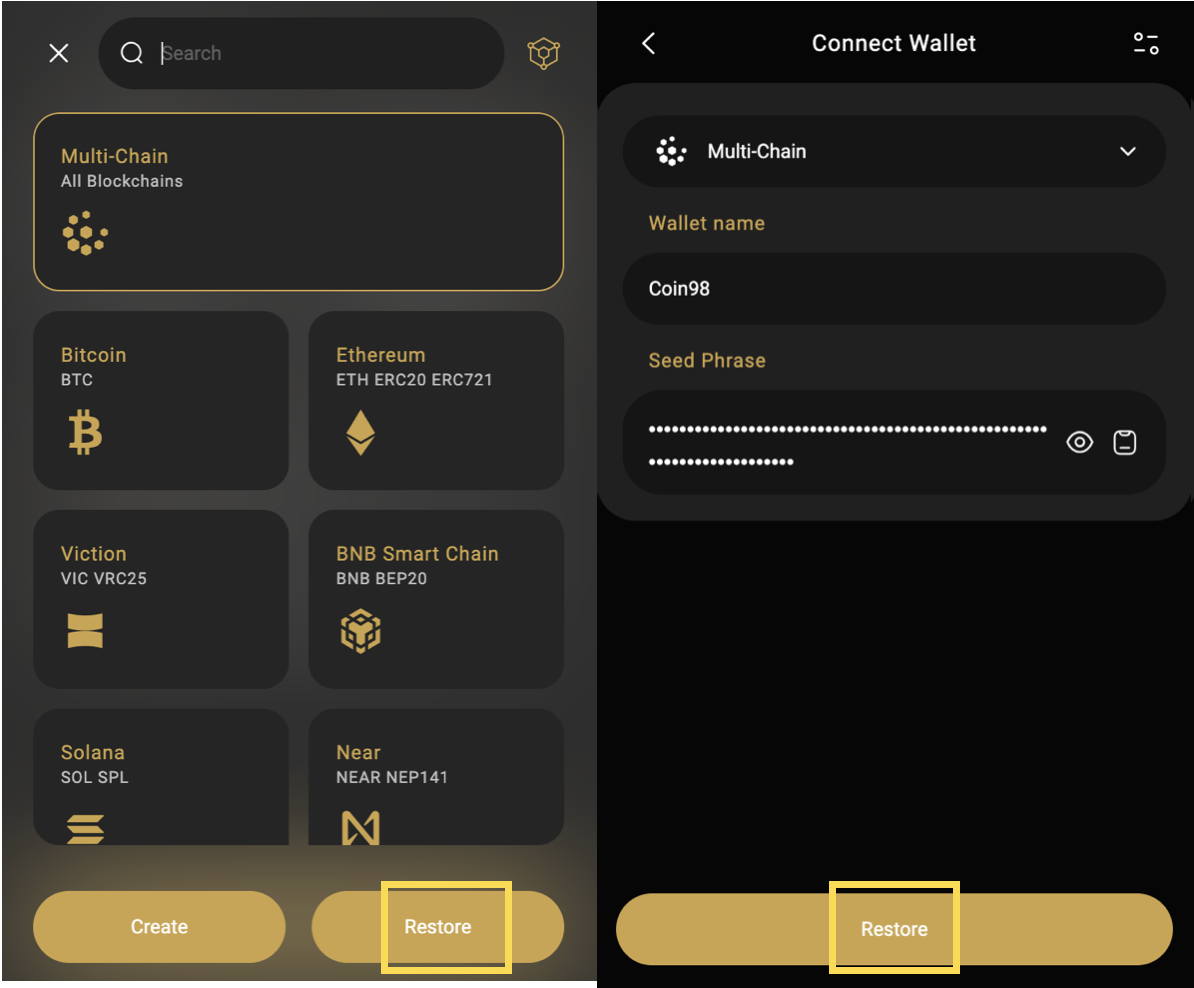
**Step 4:** After setting up the password, choose the icon that matches the wallet you want to restore (**Multi-Chain** is recommended);
**Step 5:** Name the wallet, enter or paste the Private Key or Seed Phrase to restore;
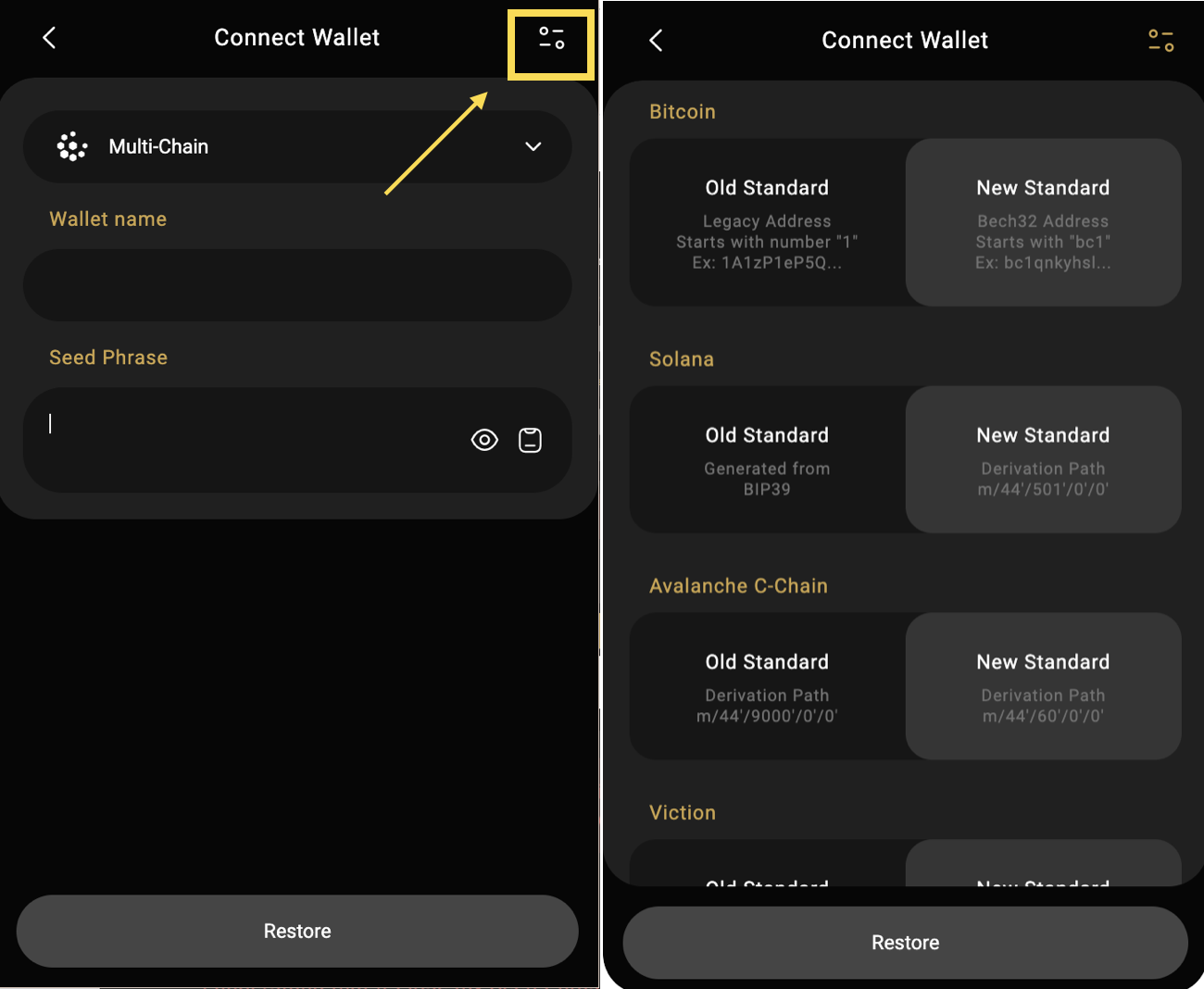
**Step 6:** Select wallet standards. **In each standard wallet option, you need to determine which standard you are importing to make the right choice.**
Coin98 Extension supports both New and Old Standard recovery for wallets on Bitcoin, Solana, Avalanche C-chain, Viction (formerly Tomochain), Celo, Injective, The Open Network, Persistence, Tron, Aptos (Mainnet/Devnet and Testnet).
**Step 7:** Click **Restore** to complete.
By completing these simple steps, you have successfully synchronized your Coin98 Super Wallet with your Coin98 Extension. Manage your assets anytime, anywhere with both our versions from now on!
---
# Agent Instructions
This documentation is published with GitBook. GitBook is the documentation platform designed so that both humans and AI agents can read, navigate, and reason over technical content effectively. Learn more at gitbook.com.
## Querying This Documentation
If you need additional information that is not directly available in this page, you can query the documentation dynamically by asking a question.
Perform an HTTP GET request on the current page URL with the `ask` query parameter, and the optional `goal` query parameter:
```
GET https://docs.coin98.com/products/coin98-super-wallet/extension-1/beginners-guide/sync-mobile-with-extension.md?ask=&goal=
```
`ask` is the immediate question: it should be specific, self-contained, and written in natural language.
`goal` is optional and describes the broader end goal you are ultimately trying to accomplish on behalf of the user. GitBook uses it to tailor the answer towards what is most useful for that goal.
The response will contain a direct answer to the question and relevant excerpts and sources from the documentation.
Use this mechanism when the answer is not explicitly present in the current page, you need clarification or additional context, or you want to retrieve related documentation sections.